
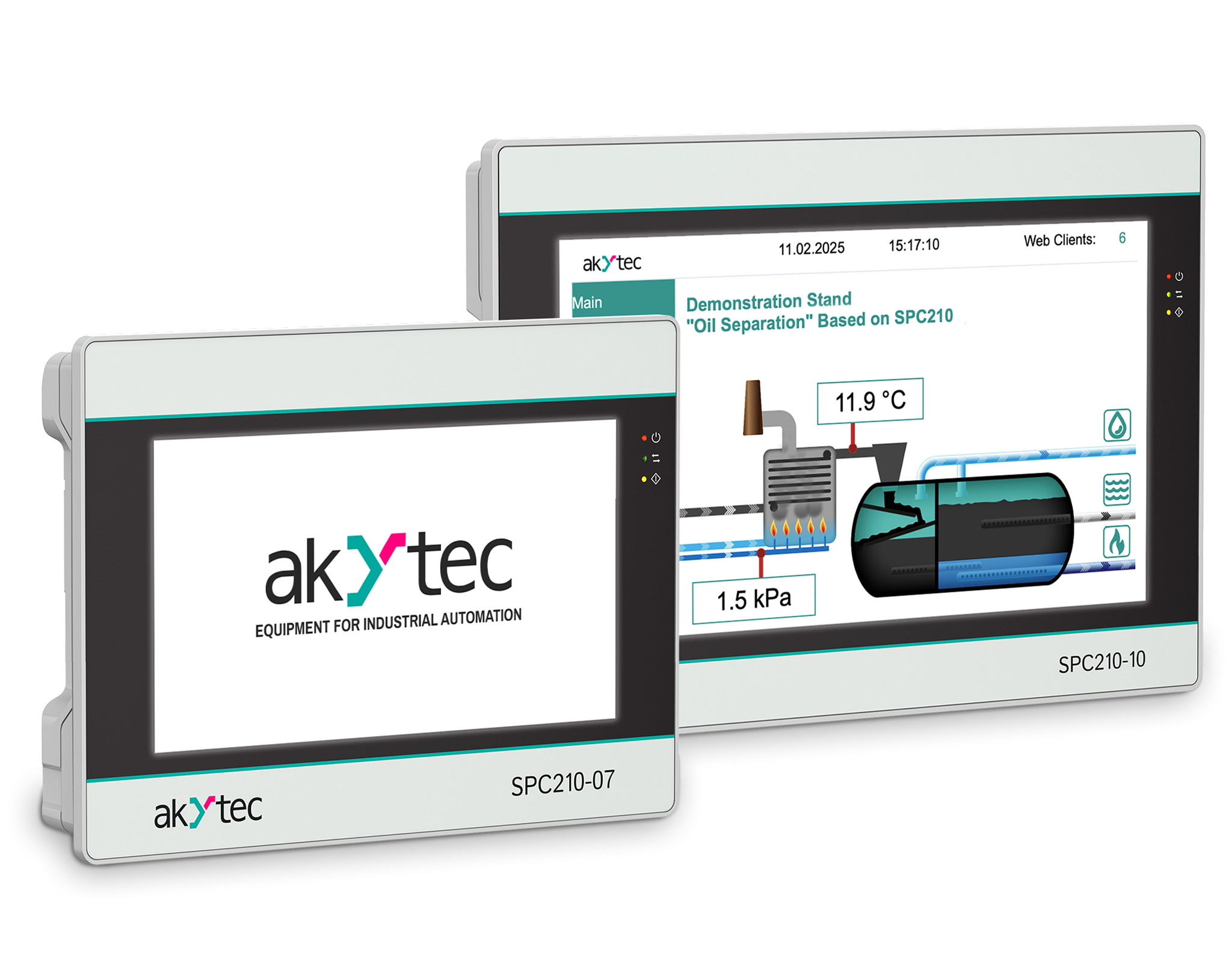
The akYtec SPC210 combines the advanced functionalities of a PLC (Programmable Logic Controller) with the user-friendly interface of an HMI-panel (Human-Machine Interface), offering high-end process control and wide automation capabilities
-
 IP65/IP20
-
 HVAC
HVAC
-
 Free software
-
 Built-in RTC
-
 Modbus protocol
-
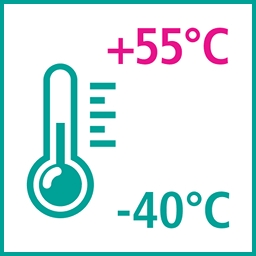
 Ambient temperature
SPC210 Touchscreen PLC
Combining PLC and operator panel functions in one device (PLC+HMI)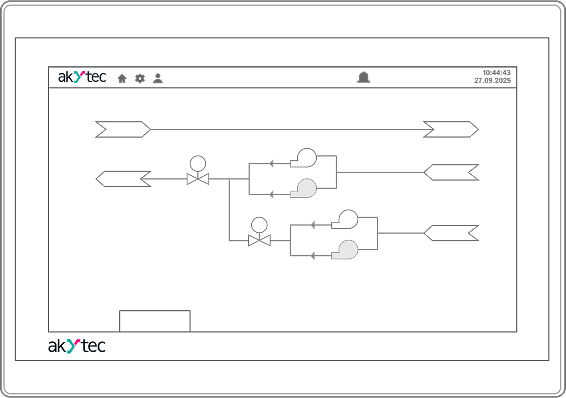
- CODESYS V3.5.
- Modbus (RTU, ASCII, TCP), OPC UA (Server), MQTT (Client), SNMP (Manager/Agent)
- Web visualization
- Integration with akYtec Cloud
- Protection IP65
- Real Time Clock
- 7“ (800×480) or 10.2” (1024×600) resistive touchscreen display
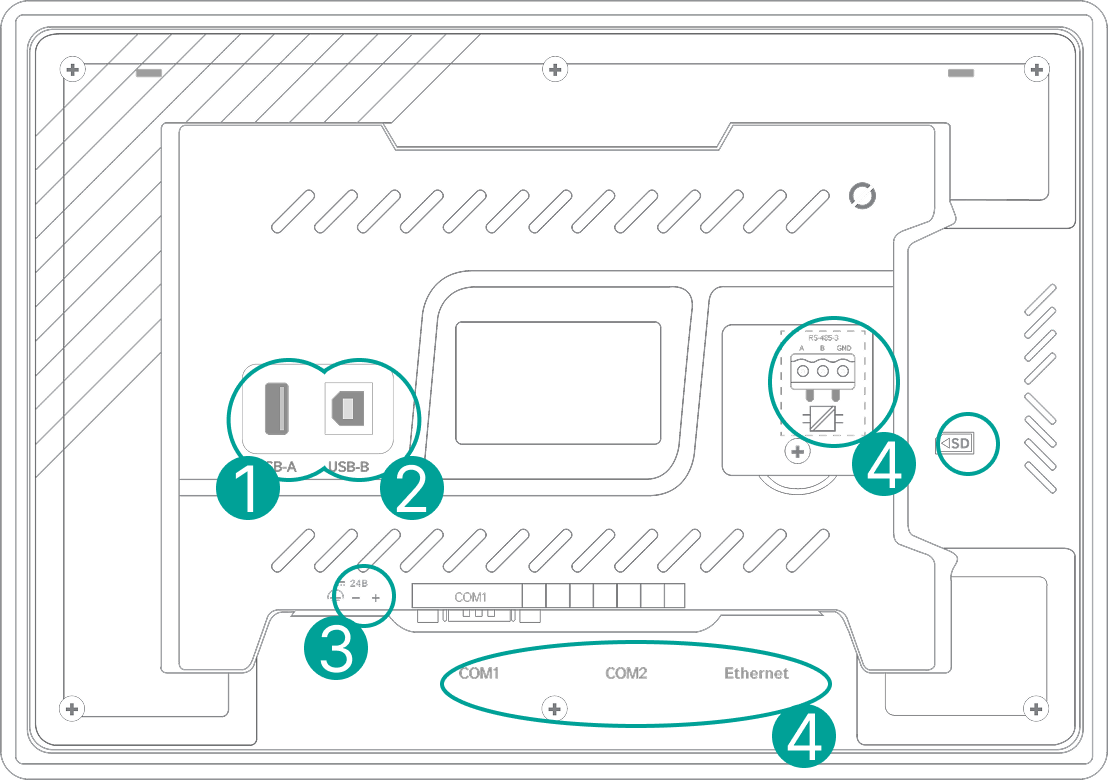
- USB-A port for mouse/keyboard
- USB Host, USB Device
- 24 VDC power supply
- 1×Ethernet, 3×RS-485, 1×RS-232
Connection diagram
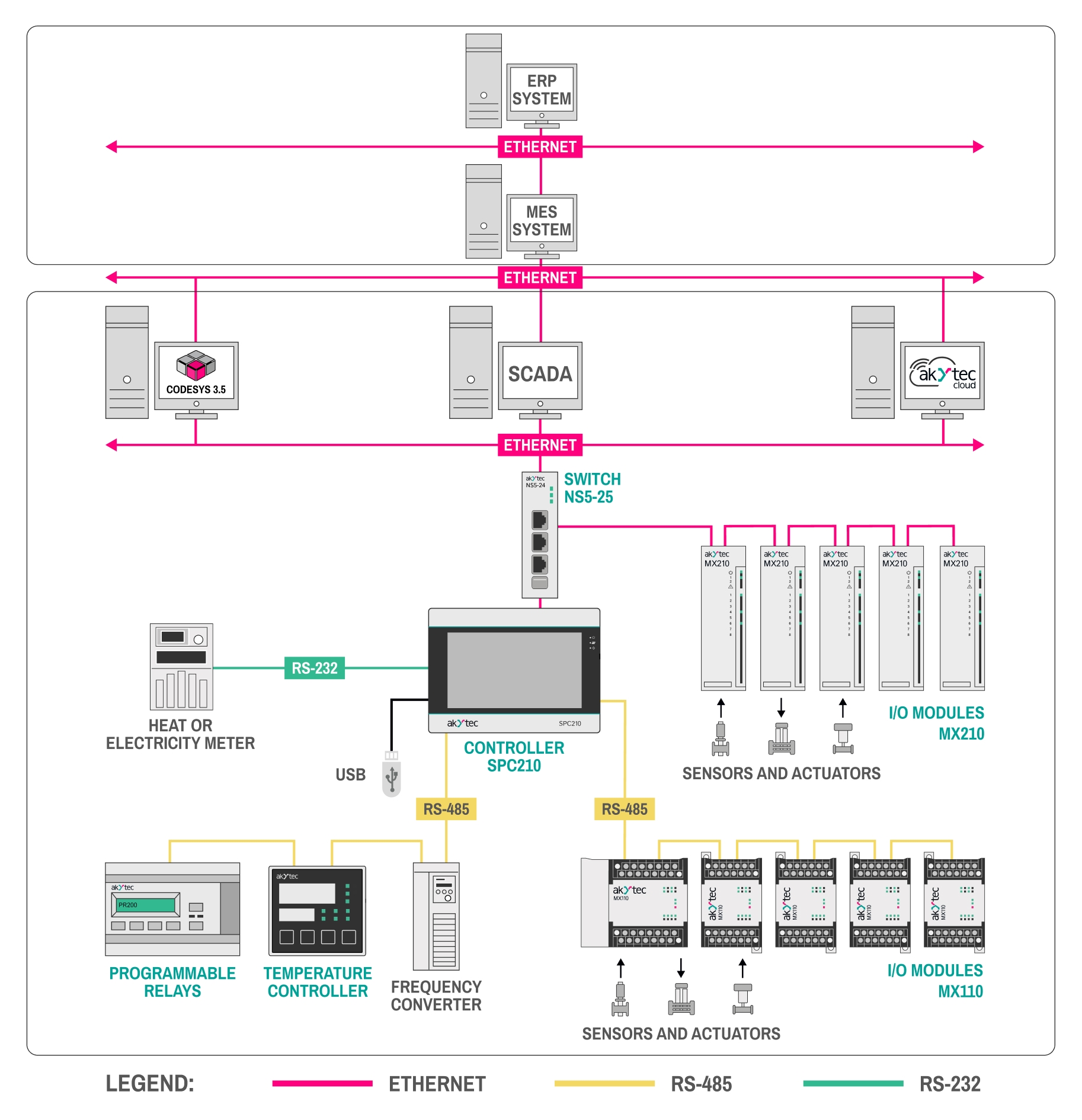
I/O modules for SPC210
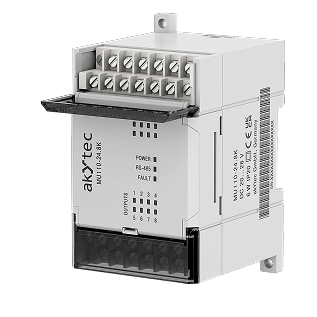





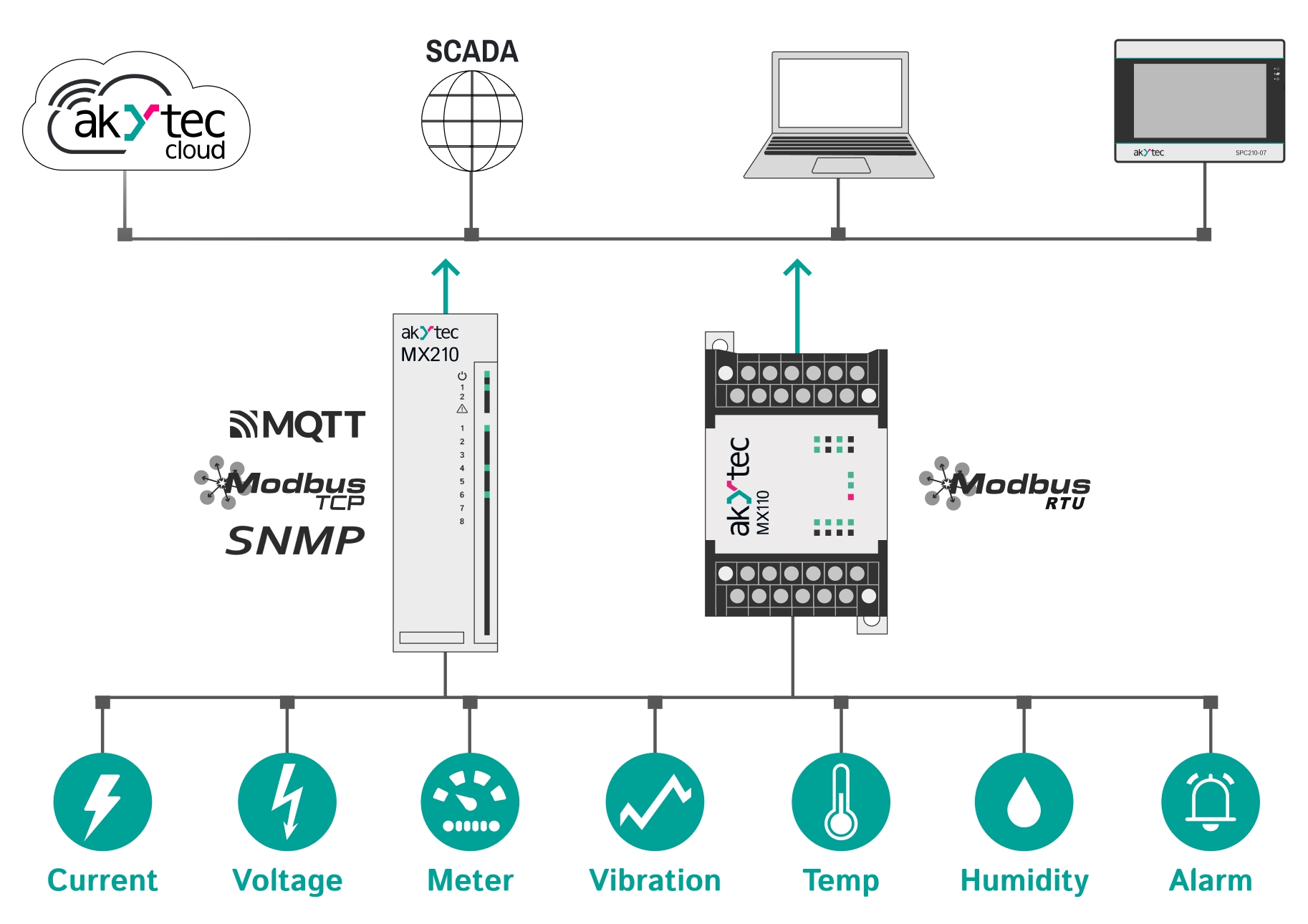
Mx110 is a range of I/O modules with an RS485 interface and Modbus RTU protocol. The Mx110 series is compatible with any devices supporting RS485 (PLCs, HMIs, etc.) READ MORE...
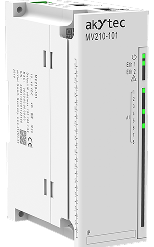


Mx210 - the range of universal I/O modules with Ethernet interfaces. These modules support a wide range of protocols, such as Modbus TCP, MQTT, and SNMP... READ MORE...
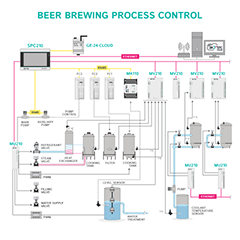
Applications


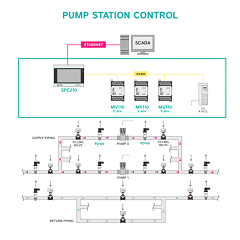
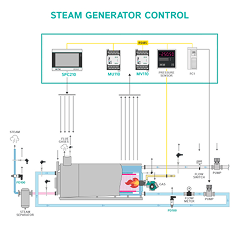
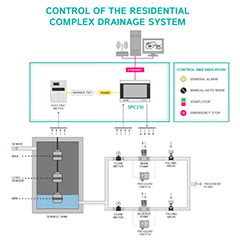
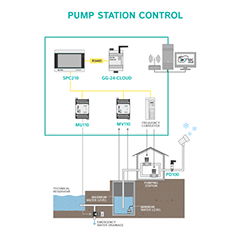
Specifications
| Parameters | ||
|---|---|---|
| Model | SPC210-07 | SPC210-10 |
| Processor | 4х Cortex-A35 | |
| Frequency | 1200 MHz | |
| ROM | 4 GB (eMMC) | |
| RAM | 512 MB (DDR3) | |
| Retain Variable Memory | 64 KB (MRAM) | |
| Minimum Cycle Time | 10 ms | |
| Real-Time Clock (RTC) | Yes | |
| Sound | Piezo Buzzer, controllable via program | |
| Display | ||
| Display Type | TFT LCD, resistive | |
| Backlight Type | LED (LED backlight) | |
| Number of Colors | 16 million | |
| Diagonal | 7.0 inches | 10.2 inches |
| Resolution | 800×480 pixels | 1024×600 pixels |
| Pixel Size (W×H) | 0.1926×0.1790 mm | 0.2775×0.2760 mm |
| Active Display Area (W×H) | 154.08×85.92 mm | 222.00×132.48 mm |
| Brightness | 300 cd/m² | 350 cd/m² |
| Contrast Ratio | 500:1 | |
| Viewing Angle (L/R/T/B) | 80/80/60/80° | 65/65/45/65° |
| Backlight Lifetime | 50,000 hours at 25 °C | |
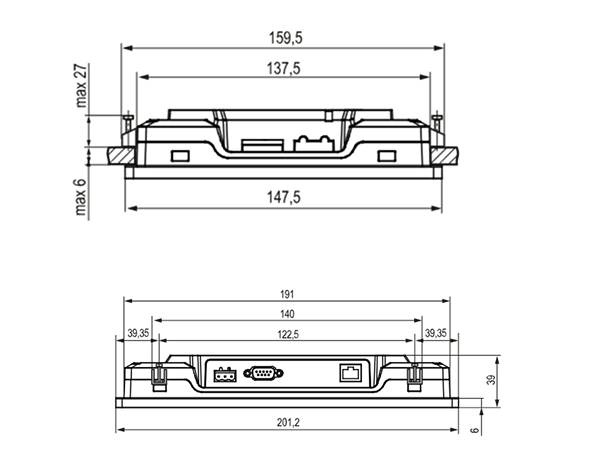
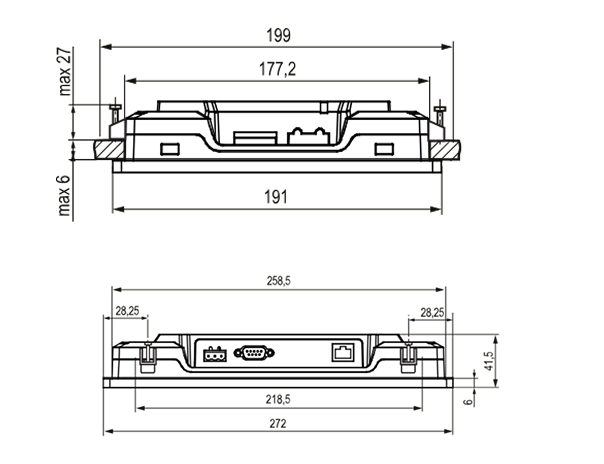
| Overall and installation dimensions | ||
|
|
|

|

|
|
| Interfaces | ||
| COM Ports |
3 × RS-485, 1 × RS-232; RS-485-1, RS-485-2, RS-485-3 with pull-up resistors (1 kΩ, 1 kΩ, 10 kΩ); DB9M (RS-485-1, RS-485-2, RS-232), terminal block (RS-485-3); RS-485-3 with 1000 V galvanic isolation; RS-232 signals – Rx, Tx, GND; RS-485 signals – A, B; independent interfaces; supported protocols: Modbus RTU (Master/Slave), Modbus ASCII (Master/Slave); includes SPC210 adapter (DB9 to spring terminal adapter); RS-485-3 interface with built-in 120 Ω termination resistors (DIP switch). |
|
| Ethernet | 1 × Ethernet 10/100 Mbps (RJ45) for device connection, project upload, and web visualization; supported protocols: Modbus TCP (Master/Slave), OPC UA (Server), MQTT (Client/Broker), SNMP (Manager/Agent). | |
| USB Device | 1 × USB 2.0 B (for project upload) | |
| USB Host | 1 × USB 2.0 A (for archives, recipe file import, project upload; max current 500 mA) | |
| SD Card | For archives, recipe file import, project upload | |
| Power | ||
| Power Supply Type | DC | |
| Power Supply Voltage Range | 15–28 V | |
| Nominal Power Supply Voltage | 24 V | |
| Max Inrush Current | 14 A for 200 µs | |
| Max Power Consumption | 15 W | 20 W |
| Insulation Resistance | 10 MΩ at 500 V DC | |
| Insulation Voltage | 500 V AC (max 1 minute) | |
| Programming | ||
| OS Version | Linux 4.19.232-rt104 | |
| Programming Environment | CODESYS V3.5 SP17 Patch 3 | |
| Enclosure | ||
| Design | Panel mounting | |
| Ventilation Type | Natural ventilation | |
| Vibration Resistance | 10–25 Hz in X, Y, Z directions with 2G acceleration for 30 minutes | |
| Dimensions (W×H×D) | (201.2×147.2×39) ± 1 mm | (272×191×41.5) ± 1 mm |
| Mounting Dimensions | 192×138 mm | 260×179 mm |
| Protection Class (front panel) | IP65 | |
| Protection Class (rear panel) | IP20 | |
| General Characteristics | ||
| Gross Weight | ≤ 1 kg | ≤ 1.6 kg |
| Average Service Life | ≥ 10 years | |
| Mean Time Between Failures | ≤ 60,000 hours | |
Frequently Asked Questions
Check out our FAQ or contact us- How is the SPC210-XX programmed, and what software is required?
- The device is programmed using CODESYS V3.5, which is an IDE designed for creating control applications for programmable logic controllers (PLCs).
- What display options are available on the SPC210-XX?
- It comes with two display options: a 7-inch and a 10-inch TFT LCD, each supporting a resistive touchscreen, 16 million colors, and high contrast for clear visualization in industrial environments.
- Does the SPC210-XX support real-time data access and remote monitoring?
- Yes, it supports Modbus TCP, OPC UA, and MQTT protocols, allowing it to exchange data with SCADA systems and IoT platforms for real-time monitoring and control.
- Can the SPC210-XX operate in high-temperature or humid environments?
- The device operates within an ambient temperature range of -10 to +55 °C and relative humidity of 30-80% (non-condensing). It’s suitable for controlled, non-hazardous environments.
- What power requirements should be met for the SPC210-XX?
- It operates on 24 VDC, with an acceptable range from 15 to 28 VDC. Make sure the power source can handle inrush currents up to 14 A within 200 μs.
- Can I connect the SPC210-XX to multiple devices simultaneously?
- Yes, it supports RS485 and RS232 interfaces independently, enabling simultaneous communication with multiple devices.
- What are the security features available for remote access?
- The device offers secure access through SSH, SFTP, and FTP configurations, which can be managed via its web interface. User accounts and passwords can also be set for secure login.
- How does the SPC210-XX handle program data during a power failure?
- It has Retain-memory (64 kB MRAM) for storing critical data variables that need to persist through power cycles, and a RTC (Real Time Clock) powered by a replaceable CR2032 battery for keeping time.
- How is it possible to configure the device?
- The device can be configured over USB or Ethernet. When connected to a PC, the default USB IP is 10.0.6.10, and the Ethernet IP is 192.168.0.10.
- Does the SPC210-XX have any file storage capacity?
- It has 4 GB ROM and supports external USB flash drives and SD cards. Supported file systems include FAT16, FAT32, NTFS (read-only), and ext4.
- Can I use USB 3.0 devices with the SPC210-XX?
- USB 3.0 devices that are backward compatible with USB 2.0 should work; however, USB 3.0 devices without support for earlier USB versions may not function correctly.
- What should I do if I need to reset the device to factory settings?
- Factory settings can be restored via the System/Backup tab in the configuration web interface by selecting the Reset button.
- What maintenance does the SPC210-XX require?
- Basic maintenance includes cleaning with a dry or slightly damp cloth, checking for loose wiring, and inspecting the mounting for stability. Avoid using solvents or abrasive cleaners on the touchscreen or enclosure.
- How do I update the firmware?
- Firmware updates are available from the akYtec’s website. They can be applied through the configuration web interface, which provides a streamlined process for firmware replacement.
- What are the options for network settings?
- The device’s Ethernet IP is set to 192.168.0.10 by default, with subnet 255.255.0.0. The USB virtual Ethernet port operates with IP 10.0.6.10.
- Is there a warranty for the SPC210-XX, and what does it cover?
- The SPC210-XX is covered by a 24-month warranty from the date of sale, provided the device is used according to the specified operating, storage, and transportation conditions.
- How long does the SPC210-XX take to boot up after powering on?
- The device typically takes about 90 seconds to complete its boot process. Once booted, any user program stored in memory starts executing automatically.
- What should I do if the touchscreen is unresponsive or inaccurate?
- If the touchscreen is unresponsive or inaccurate, try calibrating it using the on-screen configurator. If the issue persists, check for any physical damage and ensure the device is free from moisture or contaminants. If there are some troubles, feel free to contact us at info@akytec.de
- Can the SPC210-XX be used in explosive or chemically active environments?
- No, the SPC210-XX is not designed for use in explosive environments or areas with chemically active substances. Ensure it’s only used in non-hazardous, clean environments.
- How do I connect the SPC210-XX to multiple RS485 devices?
- Use twisted-pair cables for RS485 connections, ensuring each device is wired in a daisy-chain configuration. The total length of the RS485 network should not exceed 1200 meters.
- What type of Ethernet cables should I use with the SPC210-XX?
- Use Category 5 UTP or STP cables with a maximum length of 100 meters. For critical applications, shielded cables are recommended to reduce interference.
- How can I control access to the device remotely?
- Access can be managed through SSH and FTP settings within the device’s web interface. Secure the device with a strong password and limit access to trusted users.
- How do I switch between USB Host and USB Device interfaces?
- The USB Host and USB Device ports cannot be used simultaneously. You can switch between them in the web or on-screen configurator by selecting the active USB interface as needed.
- What is the recommended file system for external USB or SD storage?
- The device supports ext4 for high reliability, as it’s a log-structured file system that minimizes risk during power failures. FAT16 and FAT32 are also supported, but they’re more prone to data corruption if power is lost.
- Can the SPC210-XX connect to cloud platforms?
- Yes, the device supports MQTT protocol, commonly used for IoT applications. It can connect to cloud platforms that accept MQTT connections, allowing integration with IoT ecosystems. You can always use SPC210 with our free of charge cloud.akytec.de.
- Can I display custom graphics on the SPC210-XX?
- Yes, custom graphical elements can be integrated within your user program using CODESYS. These graphics can then be displayed on the device’s screen to enhance operator interaction.
- How can I troubleshoot data communication issues on the SPC210-XX?
- Check for proper cable connections, ensure baud rates match, and confirm interface settings are correctly configured for each device. Using shielded cables can reduce electromagnetic interference (EMI), which may otherwise affect data integrity.
- Does the SPC210-XX offer protection against voltage surges?
- While the device has an insulation resistance of 20 MΩ at 500 VDC, it’s advised to use an external surge protector to safeguard against unexpected power surges.
- What happens if the device loses power while writing data to external storage?
- In the event of a power failure during data write operations, non-log-structured file systems like FAT16 or FAT32 may experience data corruption. For higher reliability, ext4 file systems are recommended.
- What are the default login credentials for the web interface?
- The default username is root, and the password is akytec. It’s recommended to change these for improved security.
- What steps should I follow if the firmware update fails?
- If a firmware update fails, restart the device and attempt the update again. Ensure a stable connection and sufficient power supply during the update. Consult akYtec support if issues persist at info@akytec.de
- How can I determine if the device is running my program correctly?
- The CODESYS Program Indicator will light up when a program is actively running. Additionally, you can monitor program execution on the touchscreen and verify correct operation through on-screen elements.
- How often should I replace the RTC backup battery?
- The CR2032 battery typically lasts up to 5 years. If the device operates in extreme temperatures, this may shorten the battery lifespan.
- Can I use multiple network protocols simultaneously?
- Yes, the SPC210-XX supports simultaneous use of Modbus TCP, OPC UA, MQTT, and SNMP over Ethernet, allowing integration with a wide variety of control and monitoring systems.
- How do I back up my project settings?
- Project settings can be saved onto a USB or SD card and reloaded onto the device if needed. It’s recommended to regularly back up configurations, especially after updates or changes.
- What does the device's IP65 rating mean?
- The IP65 rating on the front panel means it is dust-tight and protected against water jets, making it suitable for harsh industrial environments. However, the rear has an IP20 rating and should be protected from direct water exposure.